 AccountabilityAI
Client intake for accounting firms
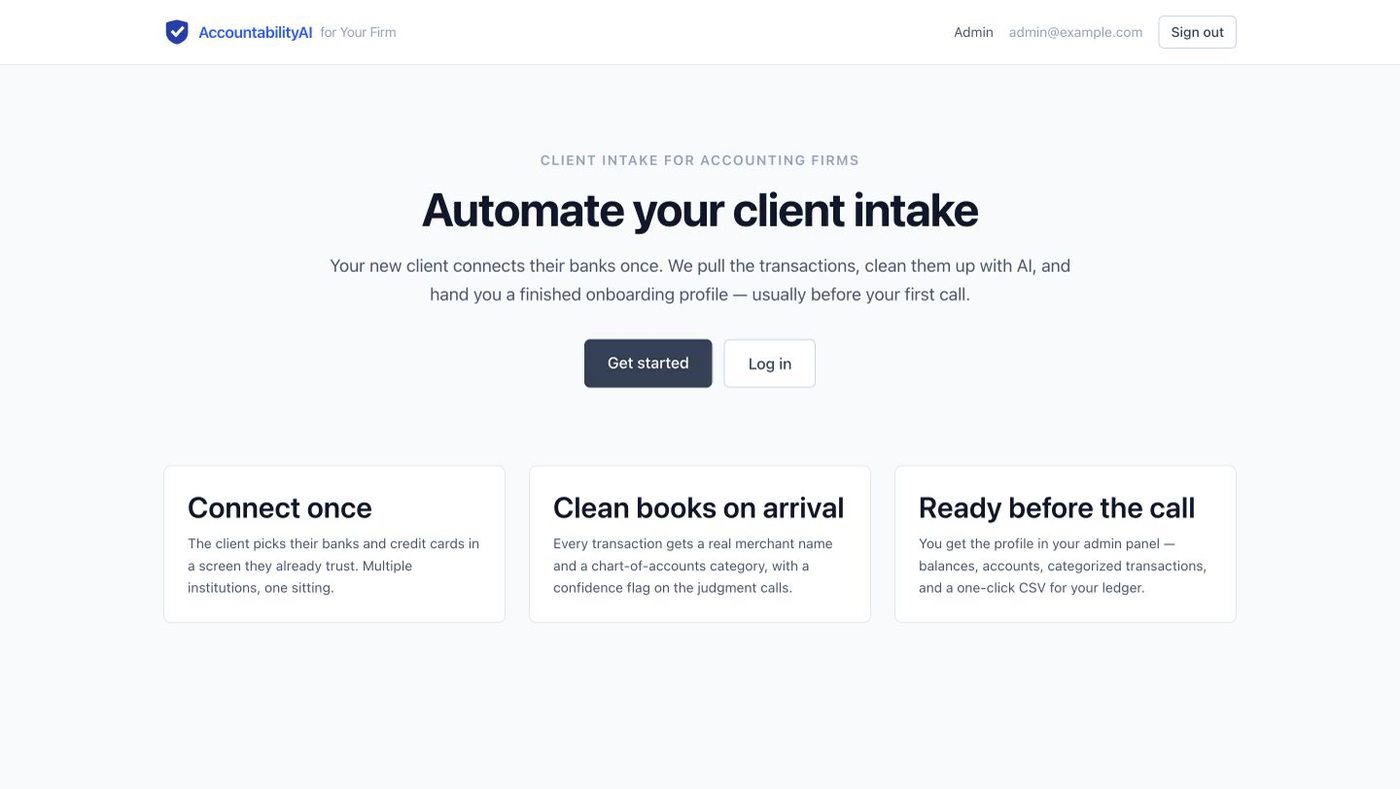
Their books, cleaned up before your first call.
A new client connects their bank accounts once. AccountabilityAI pulls every transaction, fixes the merchant names, sorts each one into an accounting category, and hands your firm a finished intake profile — on screen and as an Excel file.
Nothing here is real. The demo runs in test mode with pretend banks. No real bank, no real money, no real client data. Click anything you like — you cannot break it.
Start here
Watch the 97-second run
One short recording shows the whole thing end to end: a client connecting two banks, then the firm opening the finished profile and downloading the spreadsheet. Watch it before you try it yourself.
Play the recordingOne
What it does
Three things happen, in this order. The client does the first one. The software does the other two.
Connects once
Your client picks their banks and credit cards in a screen they already recognise from their other apps. They can add as many institutions as the business uses, in one sitting. Bank connections are powered by Plaid.
Cleans up every line
Every transaction gets a real merchant name instead of the bank's garbled text, plus one of 26 accounting categories. Each line carries a confidence flag, so the judgement calls are marked for you and the obvious ones are not.
Gets a finished profile
You open the client in your admin panel: institutions, accounts with balances, and every transaction. One click gives you the same thing as an Excel workbook or a CSV file.
Two
Try it as the client
Seven steps, about five minutes. You are playing the part of a new client who has just been sent a link by their accountant.
-
Open accountabilityai.exe.xyz and click Get started.
-
Make up a name, a company, an email address and a password. Click Create account.
Anything works. The email does not have to exist and nobody will write to it.
-
Enter the phone number below, then the code. Both are copyable.
Sign in to the bank window
Phone number 415-555-0011Code 123456 -
Pick one of the saved banks — Tartan Bank or First Gingham Credit Union — and use the password below.
Bank password
Password pass_goodUser ID, if asked user_goodSome banks in the demo remember you and only ask for the password. Others ask for a user ID as well — that is when you need the second line above.
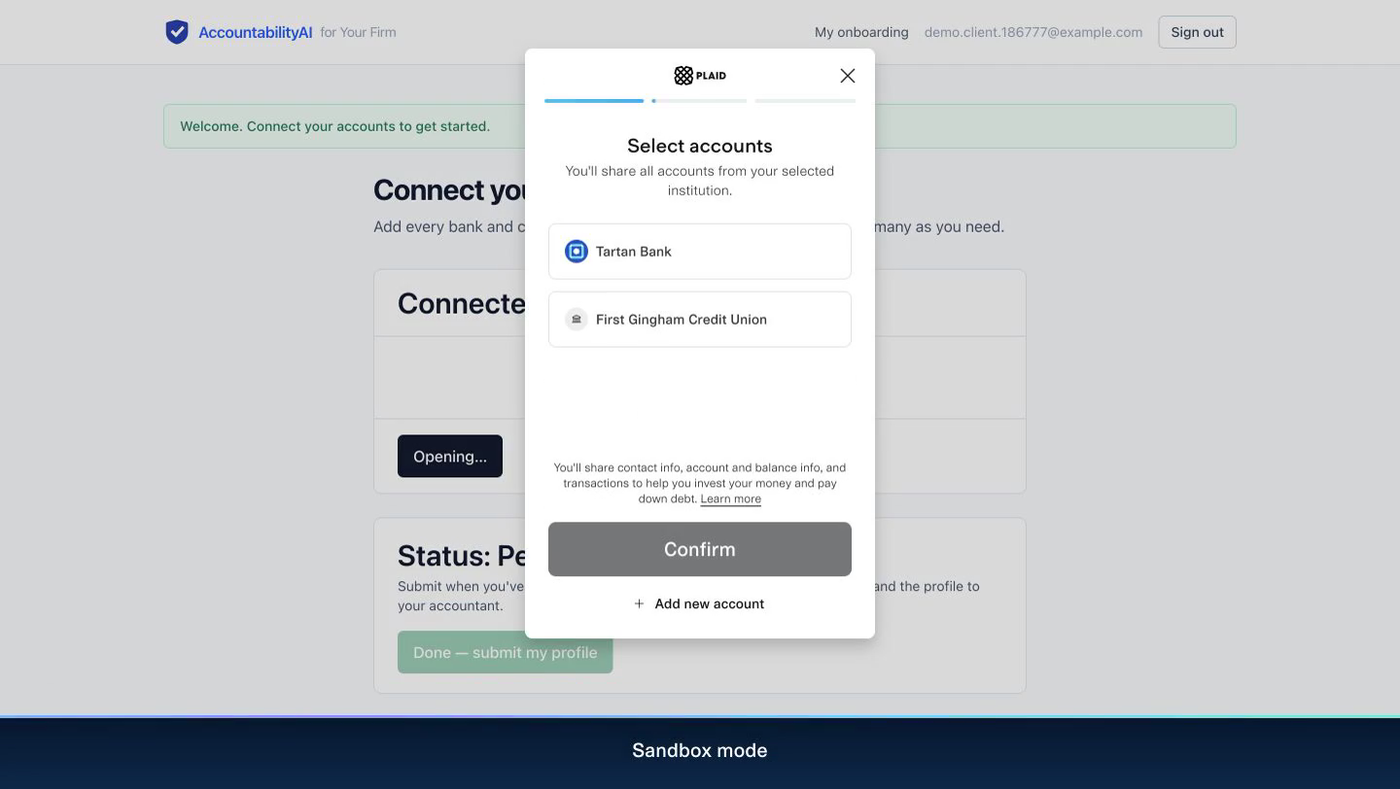
Picture 3 Choosing a bank. The two saved banks are made up, and so is the money inside them. 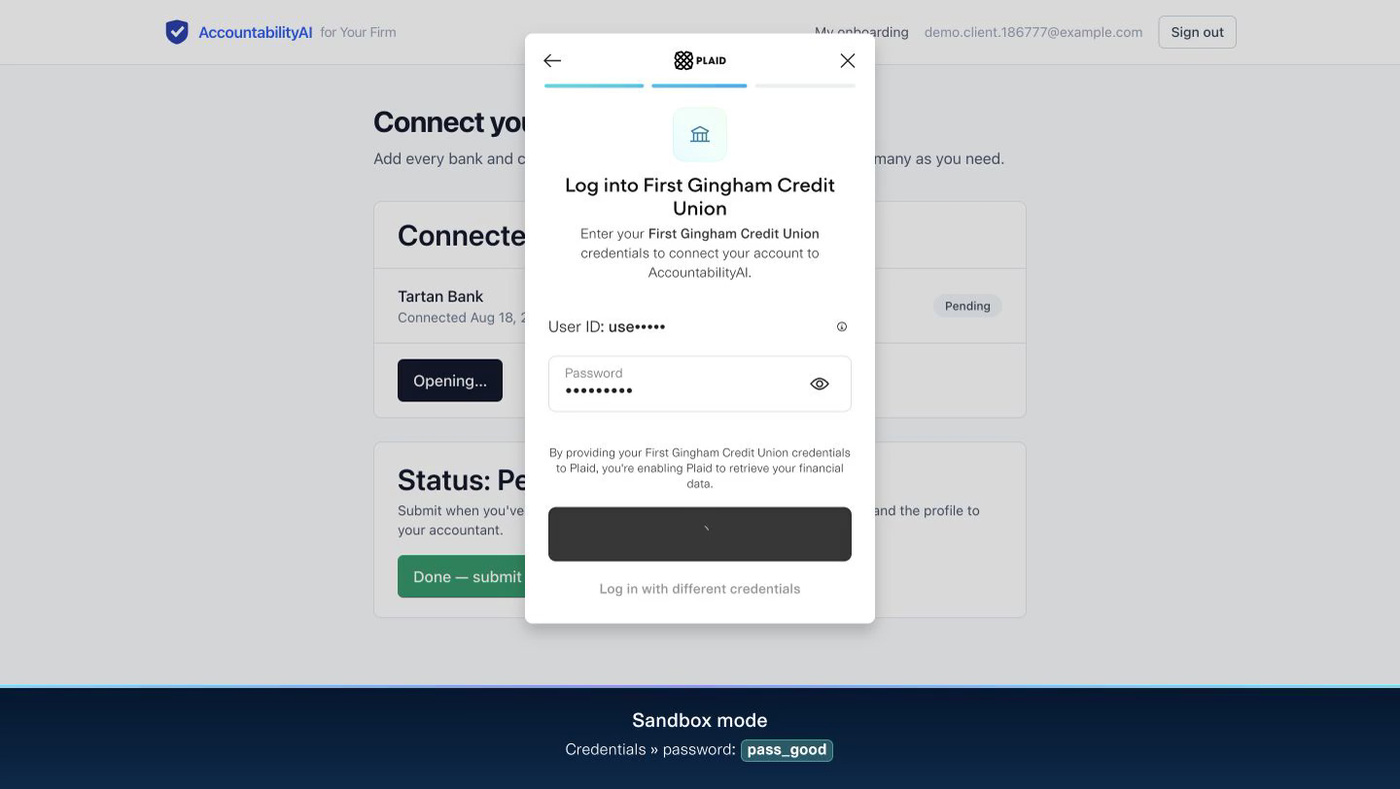
Picture 4 The password pane. The demo also prints the password along the bottom of the page, so you never have to remember it. -
If you want to see two banks in one profile, connect the second bank the same way.
Optional, and worth doing — it shows how the firm sees several institutions side by side.
-
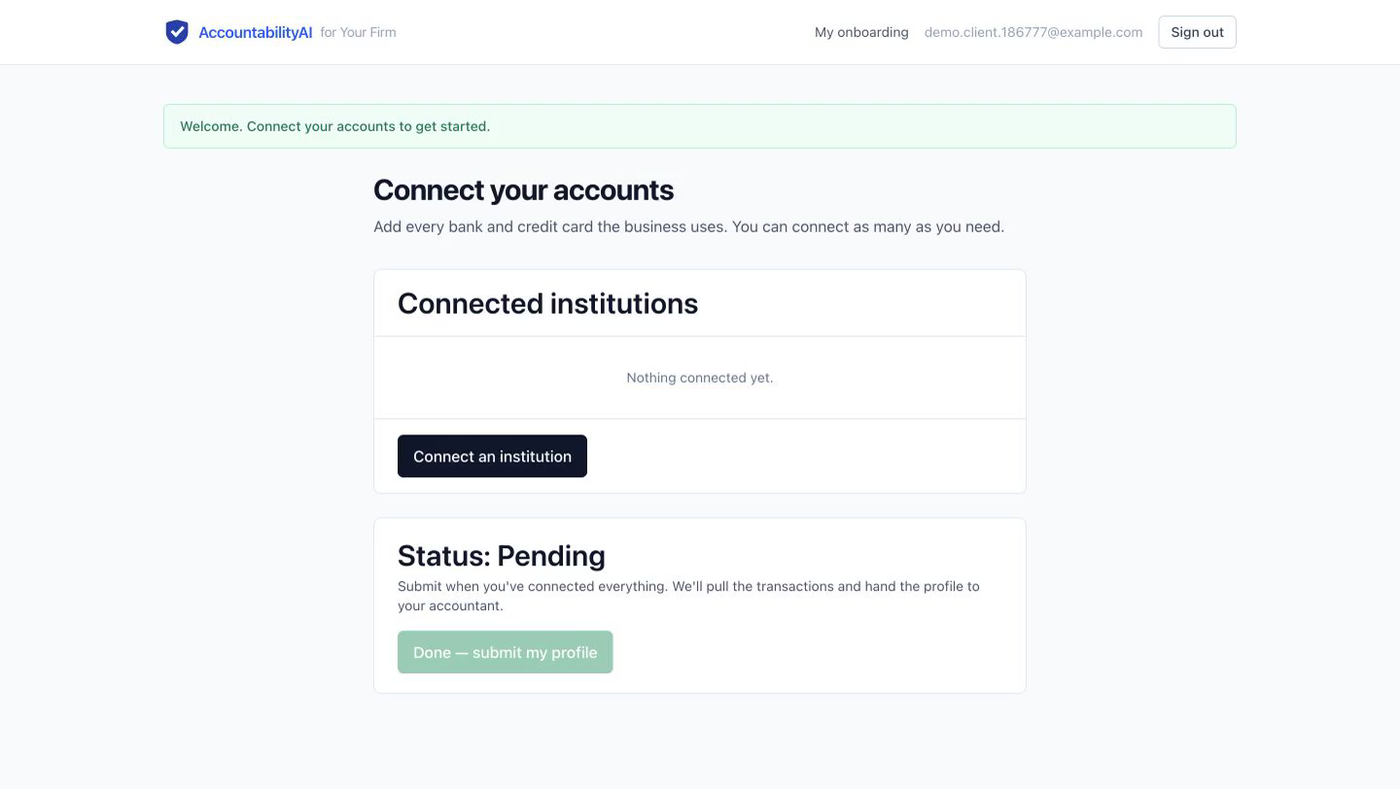
Click Done — submit my profile. Wait about 15 seconds, then reload the page. The status now reads Ready.
Those 15 seconds are the transactions being pulled in and categorized. The page does not refresh itself, so reload it yourself if the status still says “Pending”.
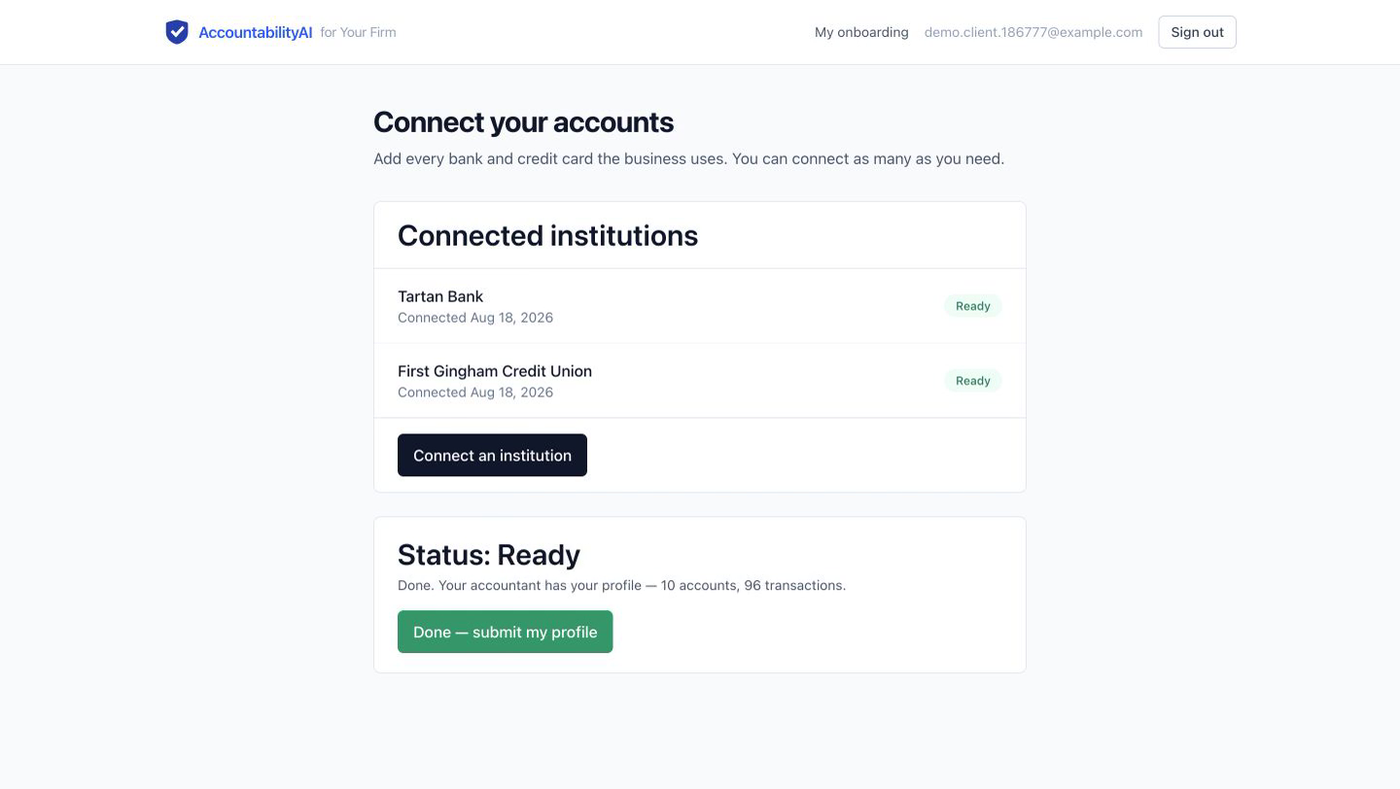
Picture 5 Done. Two banks, ten accounts, ninety-six transactions — and the client never sent a single statement by email.
Three
Now be the firm
Same demo, other side of the desk. This is what you and your staff would use every day.
Read this first
Open a private window before you start. The client account and the firm account are two separate logins. If you sign in as the firm in the same window you used as the client, one signs the other out and you will think something is broken.
In Chrome or Edge: File → New Incognito Window. In Safari: File → New Private Window. In Firefox: File → New Private Window. Then do everything below in that new window.
-
In the private window, open accountabilityai.exe.xyz/session/new.
-
Log in with the firm's account.
Firm login
Email admin@example.comPassword password123 -
Open accountabilityai.exe.xyz/avo and click Users.
-
You are looking at seven clients we loaded for you — all Tampa businesses, all already categorized.
A roofer, a taqueria, a dental office, a property manager, a salon, and an IT consultant. The seventh is the worst case on purpose: 8 accounts across 3 banks and 2,003 messy transactions — checks, Zelle, ATM withdrawals, personal spending mixed in with the business. Open that one if you want to know how it behaves on a bad set of books.
-
Click any client, then click Open profile →.
You get the institutions, every account with its balance, and every transaction with a clean merchant name, a category, and a confidence flag. Low confidence means the software is telling you it had to guess — those are the lines worth your eye.
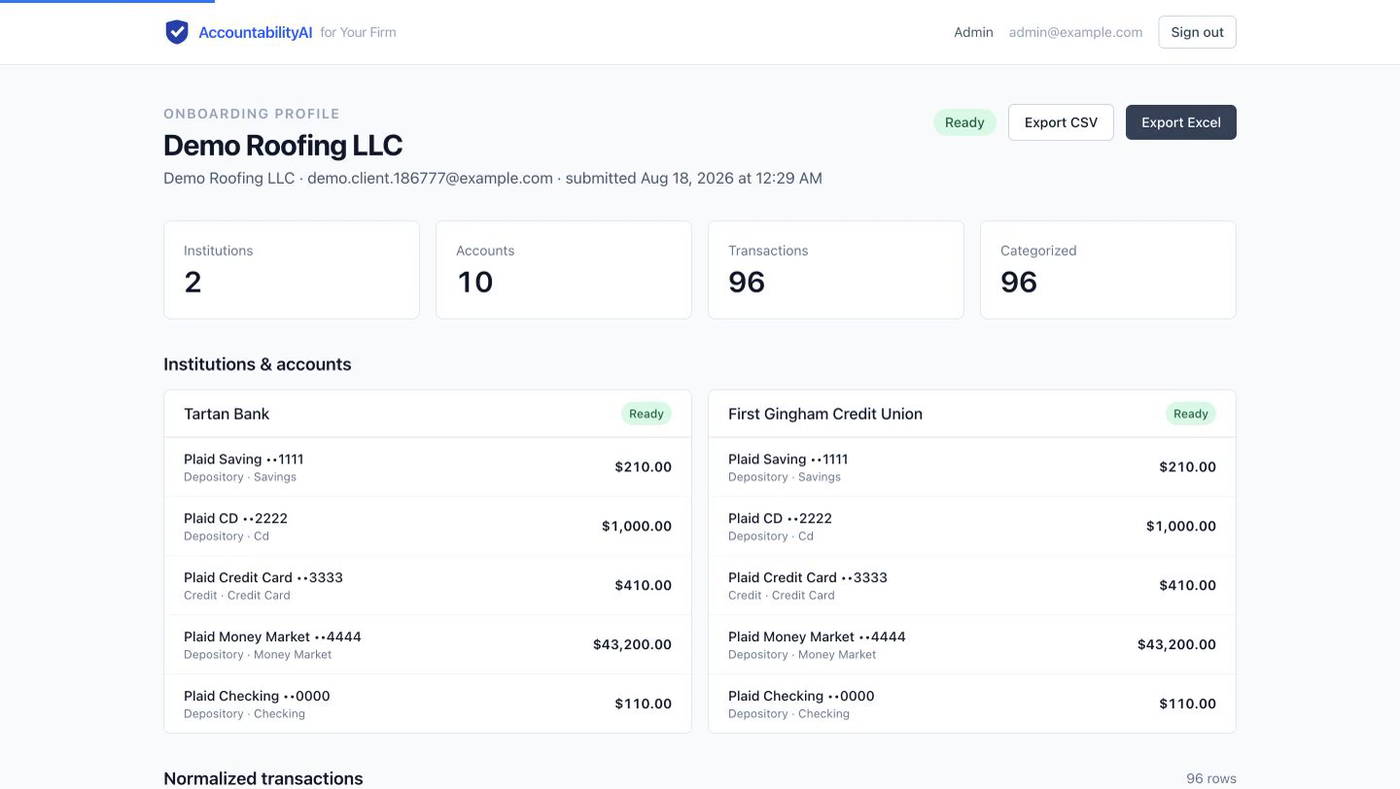
Picture 6 The top of a client profile. The counts, then every account and balance, bank by bank. 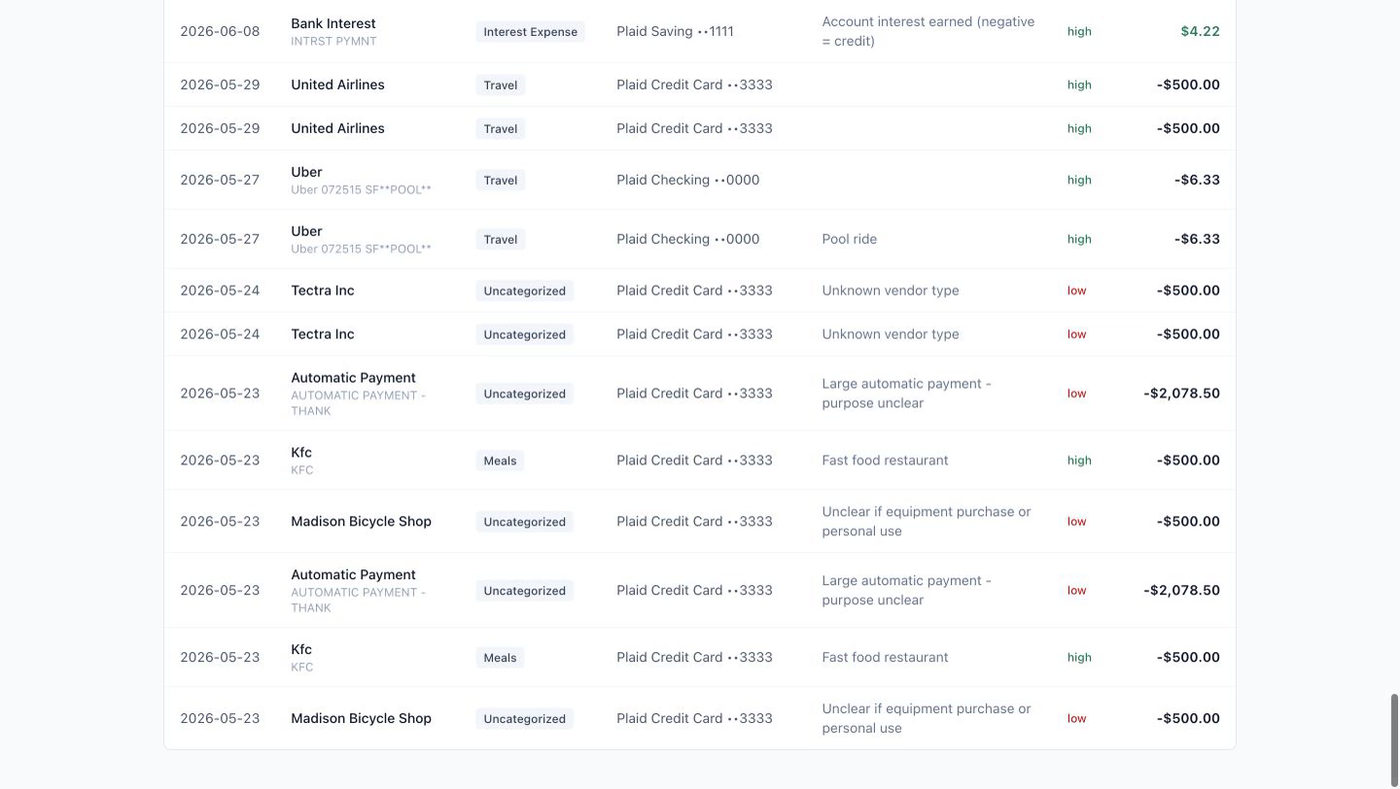
Picture 7 Further down the same page. “Uber 072515 SF**POOL**” becomes Uber, Travel, high confidence. The unclear ones say so in plain words and are marked low. -
Click Export Excel. The workbook downloads.
That file is the deliverable — the thing your firm keeps and works from.
Four
What you download
One button, one workbook, two sheets. A CSV button sits next to it if your ledger software prefers that instead.
- Sheet one — SummaryThe client, their institutions, their accounts and the balances. The intake page, in spreadsheet form.
- Sheet two — TransactionsEvery line: date, cleaned merchant name, category, account, confidence flag and amount.
Five
Good to know
Is any of this real money?
No. Every bank, account, balance and transaction in the demo is invented. The demo cannot reach a real bank, and no real client data has ever been in it.
Why two separate logins?
Because a client must never see another client's books. That is also why the firm side needs a private window while you are testing both roles at once.
Nothing happened after I submitted.
Give it about 15 seconds and reload the page. The work happens in the background and the page waits to be asked for the new status.
Who handles the bank connection?
Plaid — the same service your clients already use to link accounts to their payroll, tax and banking apps. Your firm never sees or stores a bank password.
How good is the categorizing?
Good enough to do the first pass, honest about the rest. Every line carries a confidence flag, and the low-confidence ones tell you why in plain words.
Can I break it?
Please try. Make several accounts, connect the same bank twice, open the 2,003-transaction client. It resets and nothing you do has any consequence.